
When it comes to identifying species I am definitely someone who prefers to use a book. I like flicking through the pages, the pictures are usually easier to see (especially if they are drawn) with almost no issue of glare, and I tend to prefer the descriptions. But let's face, books weigh a lot and carrying them with you where ever you go is not really an option. Especially when you're doing a long walk or already carrying heavy tools with you. So for the day to day I tend to rely on the apps on my phone.

And there are a lot of apps that you can choose from. So many, in fact, it took me a while to decide which ones I wanted to put on my phone. In the end I mainly decided to go with apps that were connected to organisations that were working on conserving that particular group of animals / plants and with the option of recording my sightings if I ever got to the point where I felt like my identification skills were accurate enough.
These are what I have on my phone:
Birds of Britain

Downloaded for free (with ads) from Google Store, this app has replaced the app of the same name I brought from Amazon. I have to admit that I preferred the Amazon version when I first got it but didn't like the fact that you now have to have an additional Amazon app to use it and it kept freaking out if I wasn't able to be connected to my mobile data - something that happens frequently when you're out in wildlife......funnily enough.

The good thing about this free app is that it contains good photos of the birds and some even have calls which you can use to help with identification. There is some basic description about the birds as well, such as size, colour, range, and usual habitat. Each bird also has a link to a wiki page for a more in-depth description, though obviously that requires an internet connection.

There is also an option where you can filter the browsing options to help with the identification of a bird you might be unsure about. However, this part is also sort of the downside to this app as I feel that, when it comes to identifying a bird, more questions then those provided by the filter are needed to help you work out exactly what it is.

The other, slightly strange, thing that I have found is it's easier to identify birds from a drawing of the species then it is to look at a photo. I'm not entirely sure why that is, possibly because a drawing is a general picture of the species whereas a photo captures the additional unique characteristics of the individual bird.
Mammal Tracker

This is downloaded from the Google Store, but through the Mammal Society's website. For the most part in Britain, the actual species identification is much simpler in mammals than it is in birds. It's the actual seeing of the animal that is more difficult. I also find that, when it comes to identifying mammals, photos work just as well as drawings and the photos provided for you in this app work really well on this front.

There is a basic filter that you can do at the start but it's not really necessary as you can just scroll down the page to find the species you're looking for. Once you click on it you can then go to ID guide which contains multiple photos (including tracks), some have sound recordings, there's also a distribution map, and most importantly an in-depth description of each species. With some they also have a section on confusion species, stoats and weasels come to find, where they describe how you can tell them apart.
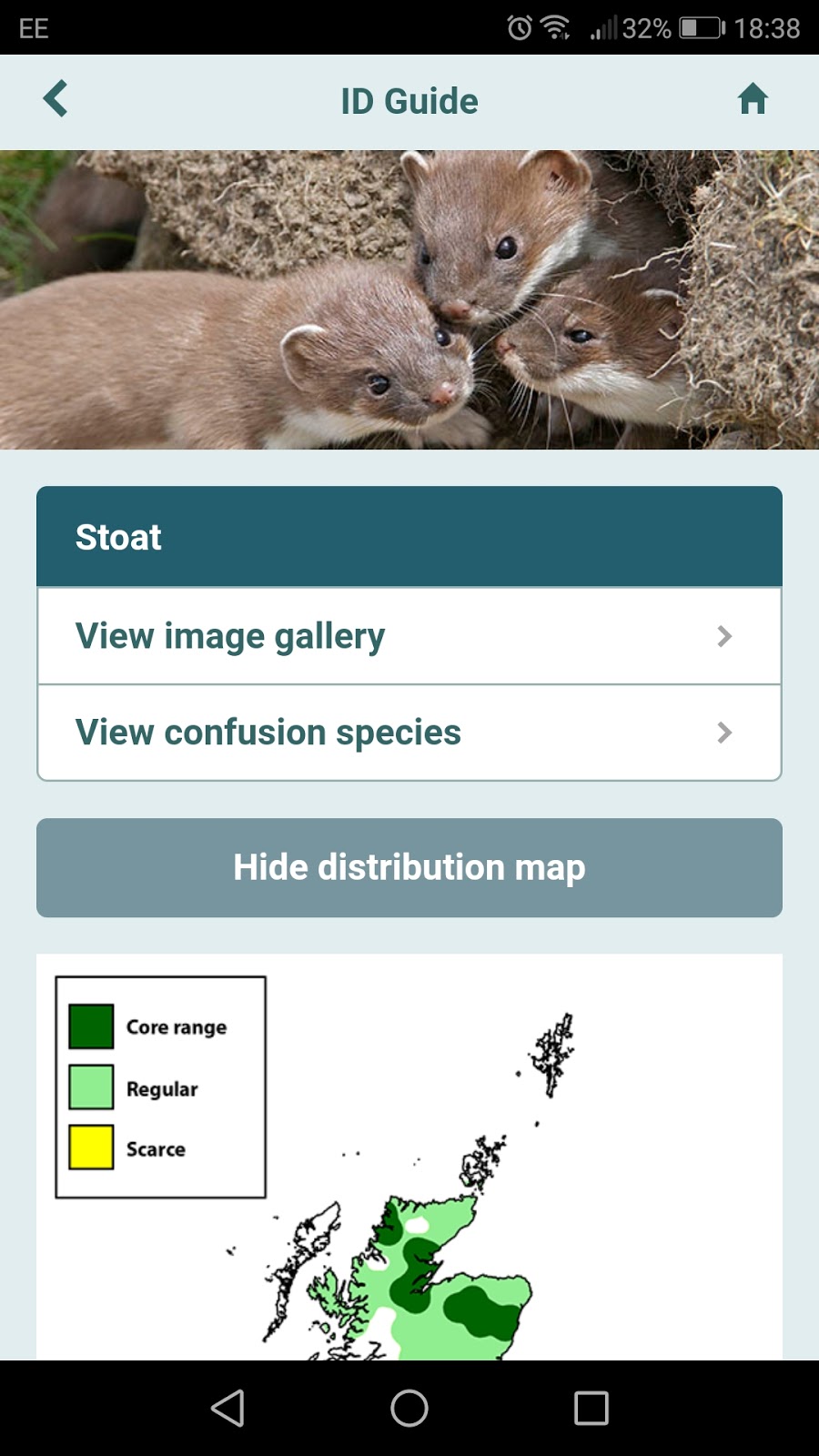
The main page for each species is really to allow you to record your mammal sightings through iRecord (just be sure to put in your experience level in the Settings section) and I full intend to use this section this year.
Butterflies

Another app downloaded from the Google Store but through a groups website, this time Butterfly Conservation. I mainly use this for the Butterfly guide section and I find that, in this case, the small number of questions in the filter section works absolutely fine when it comes to helping with the identification of a species.

When you click on each species there is a pretty good description, with a map to show distribution and information on habitat types and months of usual activity. There are also some pretty good photos to go with it and a link for further information - though as before this needs an internet connection.

The one issue I do have with this app is that it doesn't give you enough information about how to distinguish between some similar species (Large Whites and Small Whites spring to mind).

As with the previous app you can log your recordings through this app with iRecord, but in addition to that you can also log an actual survey you have chosen to do for
Dragon Finder

So named because this app is all about reptiles and amphibians. I found this one through Froglife. This is a super easy app to use and I particularly like the identify animal section of this app as the questions are really easy to follow and pretty concise.

I've used it a number of times to try and work out the animal I've stumbled upon, and it always amazes me just how many species of reptiles and amphibians we actually have up here in Scotland.

The species information section is also very in-depth, especially when it comes to the information on identification, and includes information about their range, ecology, and threats that each species faces (in case you were wondering about adders the threats are birds and humans).

You can also record your sightings in this app and the information gets sent to Froglife to be used in their conservation work. In this case it doesn't seem to be through iRecord. I have to say that, even though amphibians and reptiles aren't my first chose in animals, I've really enjoyed using this app and it's definitely helped me appreciate these important animals more.
Lastly, British Trees

This one comes from the Woodland Trust, but I downloaded it from Google Store. I would really recommend this app if you're wanting to learn about about trees.

The identification section is really easy to use (though I sometimes found the colour section a bit confusing - purple for bark?!) and the information you get on each species is in-depth enough to help make your final identification but not too much that you get really overwhelmed by it. I also like that they have information about the myths and legends surrounding each species and what we use / have used them for. It helps build a connection to a group of living things we can easily see as inanimate.

You can also log the trees you have identified with a location reference on a map that can then be seen by you in the future and other app users (unless you choose for it not to be shown).

I also like that the map on the app also includes trees that were recorded in the Ancient Tree Inventory. Add an extra treasure hunt to an outdoor trip and I'm definitely going to see if there are any I can find next time I'm out in an wooded area.

I am definitely hoping to increase my ability at identifying the species I see around me in the future. Hopefully these apps will be a good starting point and maybe, one day, I won't even need them - wishful thinking. 😃


